Check it yourself
Find your public IP, test a port or discover local devices. Start with a measurable result.

EXPERIENCE YOU CAN PUT TO WORK
ReLeTec experience and four free Windows applications help you investigate Modbus, BACnet and M-Bus devices, discover your LAN and test internet connectivity. Practical tools for automation engineers, technicians and network specialists.
 KNOW-HOW / TOOLS
Connection illustration, not live data
RELETEC / KNOW-HOW
Find your public IP, test a port or discover local devices. Start with a measurable result.
Practical guides help distinguish configuration, connection problems and device limitations.
If the next step is unclear, share the issue and test results with us. We agree the scope before work begins.
Free tools
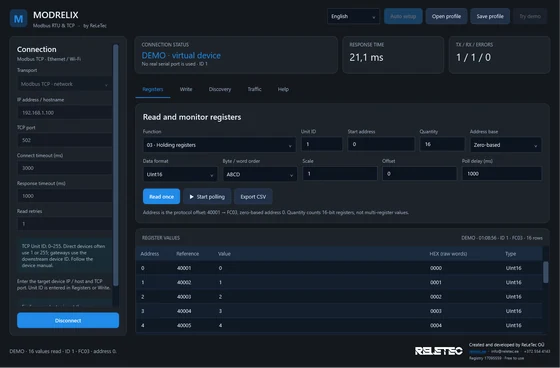
 MODBUS RTU / TCP
Read registers, monitor values and configure Modbus RTU and TCP devices in one modern Windows application. Built for automation engineers, maintenance teams and curious explorers.
Download for Windows ↗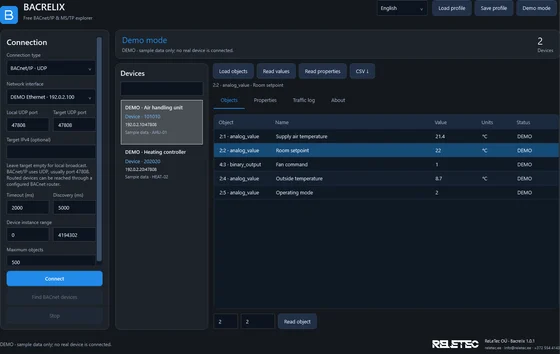
 BACNET/IP / MS/TP
Discover BACnet/IP and MS/TP devices, browse objects, read properties and review writes before sending.
Download for Windows ↗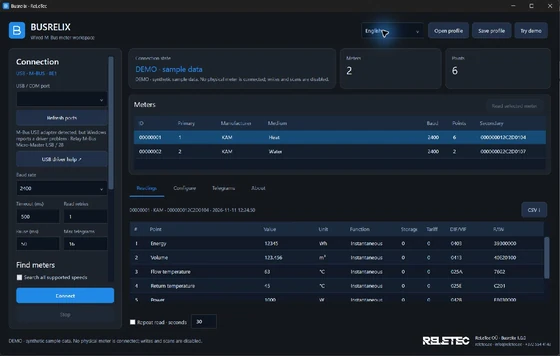
 M-BUS / USB
Discover wired M-Bus meters through a USB master. Inspect readings, units and raw telegrams, then configure supported values using the meter documentation.
Download for Windows ↗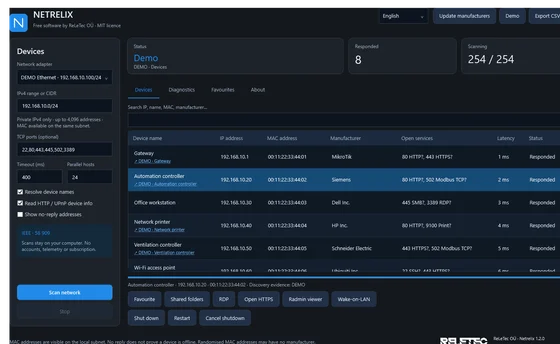
 LAN / ARP / TCP
A free Windows network toolkit: discover LAN devices, names, IP and MAC addresses, manufacturers and services. Find your public IP and check TCP ports from the internet. DNS, TLS, subnet calculation and XML export are built in.
Download for Windows ↗RELETEC / KNOW-HOW
Make sure the intended service is running on the right device. Check router forwarding and allow only the required traffic in the firewall. Compare the router WAN address with your public IP: CGNAT may require help from your internet provider for inbound connections.
Choose the right adapter and address range. Ping may be blocked; ARP and TCP can still discover a device. MAC addresses are visible on the same subnet. Manufacturer data comes from the MAC registry and does not prove the device model.
Start by reading a known register from the manufacturer manual. Check RTU settings or TCP address, Unit ID, zero/one-based addressing and data type. Write values only after checking the device requirements.
We also help when a tool is not enough: device integration, network issues, Niagara N4 and building automation. Send a description; we agree the options and scope before starting.
02 / NIAGARA N4 CAPABILITIES
Niagara brings data and controls from different manufacturers into a shared environment. N4 can connect heating, ventilation, cooling, lighting and energy monitoring, and expand as your project requires.
BACnet, Modbus and other drivers connect equipment across manufacturers. MQTT and HTTP enable suitable data exchange with IT and cloud services.
Control sequences, setpoints and schedules align building systems with the way the site is used.
Alarm management, events and recorded trends help identify deviations and investigate their causes.
Measurements and comparison views help monitor consumption, temperature and air quality. Suitable modules can extend the analytics.
Role-based permissions, certificates, encrypted connections and security logs support considered access management.
JACE controllers and Niagara Supervisor can bring data from multiple buildings together for central monitoring.
System diagrams, floor plans and dashboards run in the browser. UX Builder supports creating and editing Px views in compatible N4 versions.
Visual programming connects data points, logic blocks and control sequences. WebWiresheet also enables browser-based work in compatible versions.
Weekly schedules, exceptions and holiday calendars adapt system operation to the building's actual use.
Tagged data points and a logical structure make it easier to find equipment and create consistent views across buildings.
Niagara Analytics and suitable add-ons enable calculations, deviation monitoring and expanded energy and performance analysis.
Niagara Network, drivers and suitable API and JSON solutions connect stations, applications and external systems.
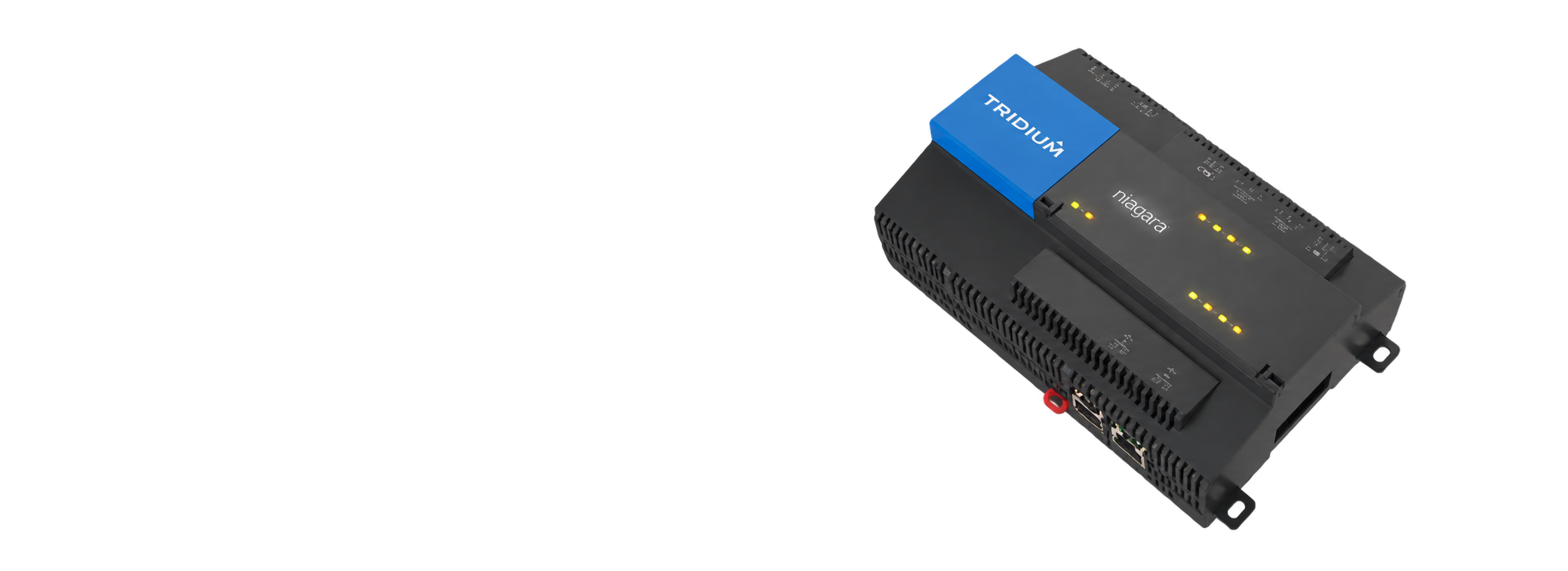
NIAGARA N4 HARDWARE PLATFORM
Connect, control and monitor building systems in one controller. We help configure the Niagara N4 station and bring your equipment together into a working solution.
Product information: Tridium ↗Available functionality depends on the Niagara version, equipment, licences and drivers. We select add-ons and third-party integrations to suit the project.
*With a suitable driver, gateway and licence.
03 / VISIBLE AND CLEAR
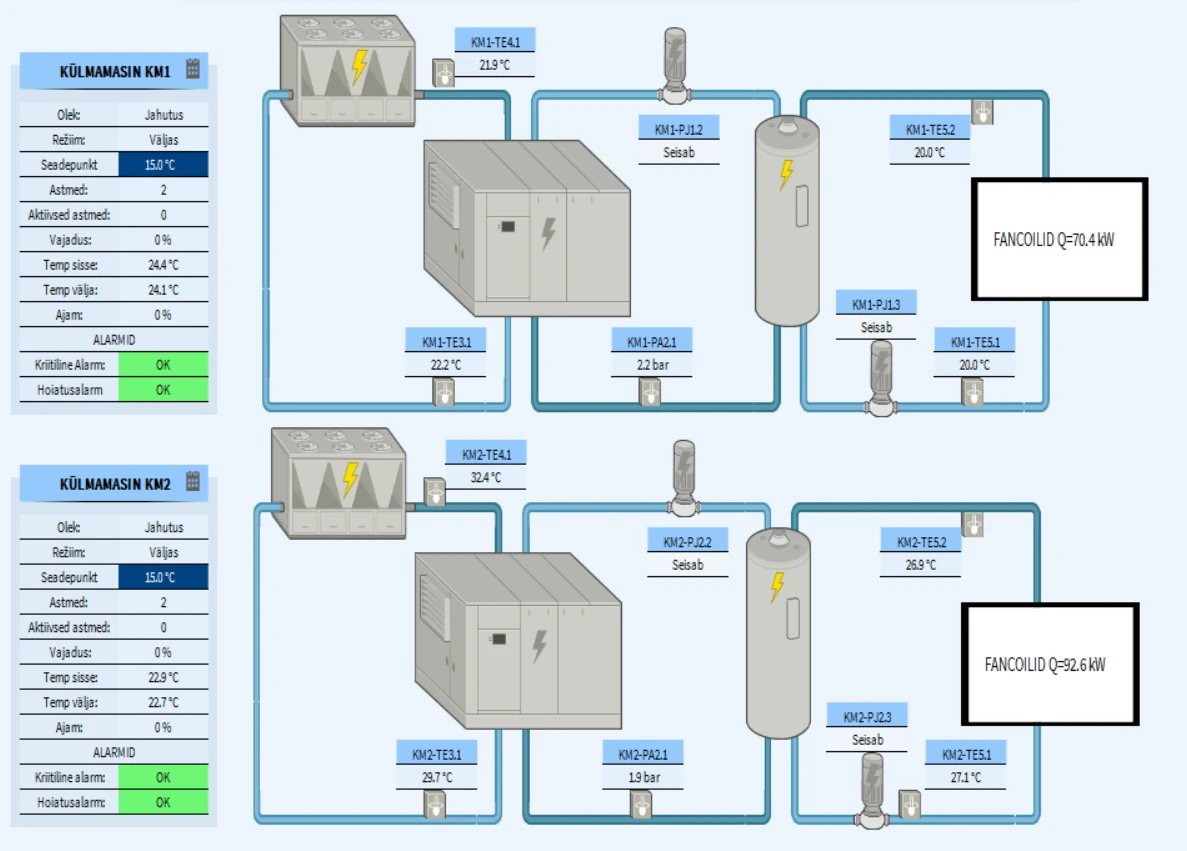
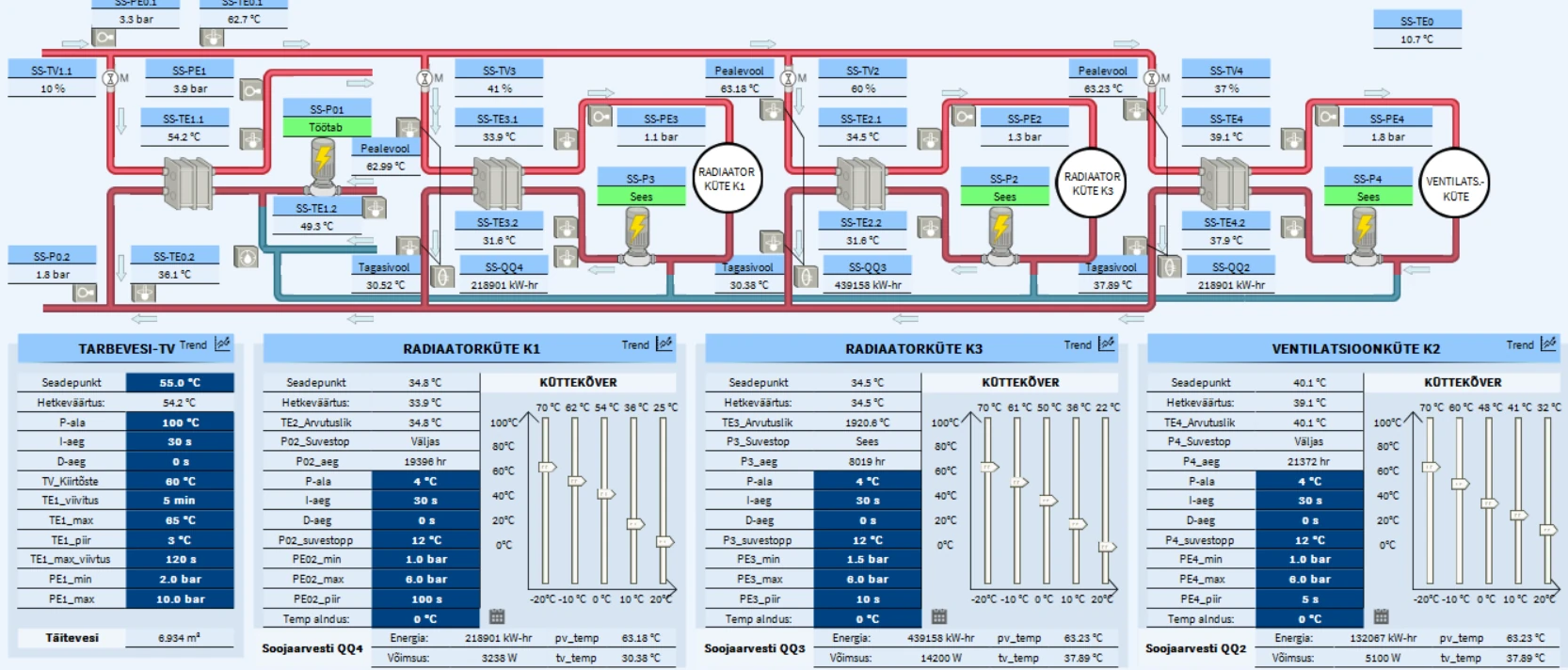
Niagara N4 HTML5 views bring building systems into the browser. We create site-specific diagrams, trends and dashboards that let facility managers find the information and equipment they need.
Supply air, extract air and heat recovery, with equipment operation shown in a real Niagara N4 solution.
Chillers, pumps and tanks with temperatures, pressures and operating states.
Domestic hot water, radiator heating and ventilation heating, with controls and measurements.
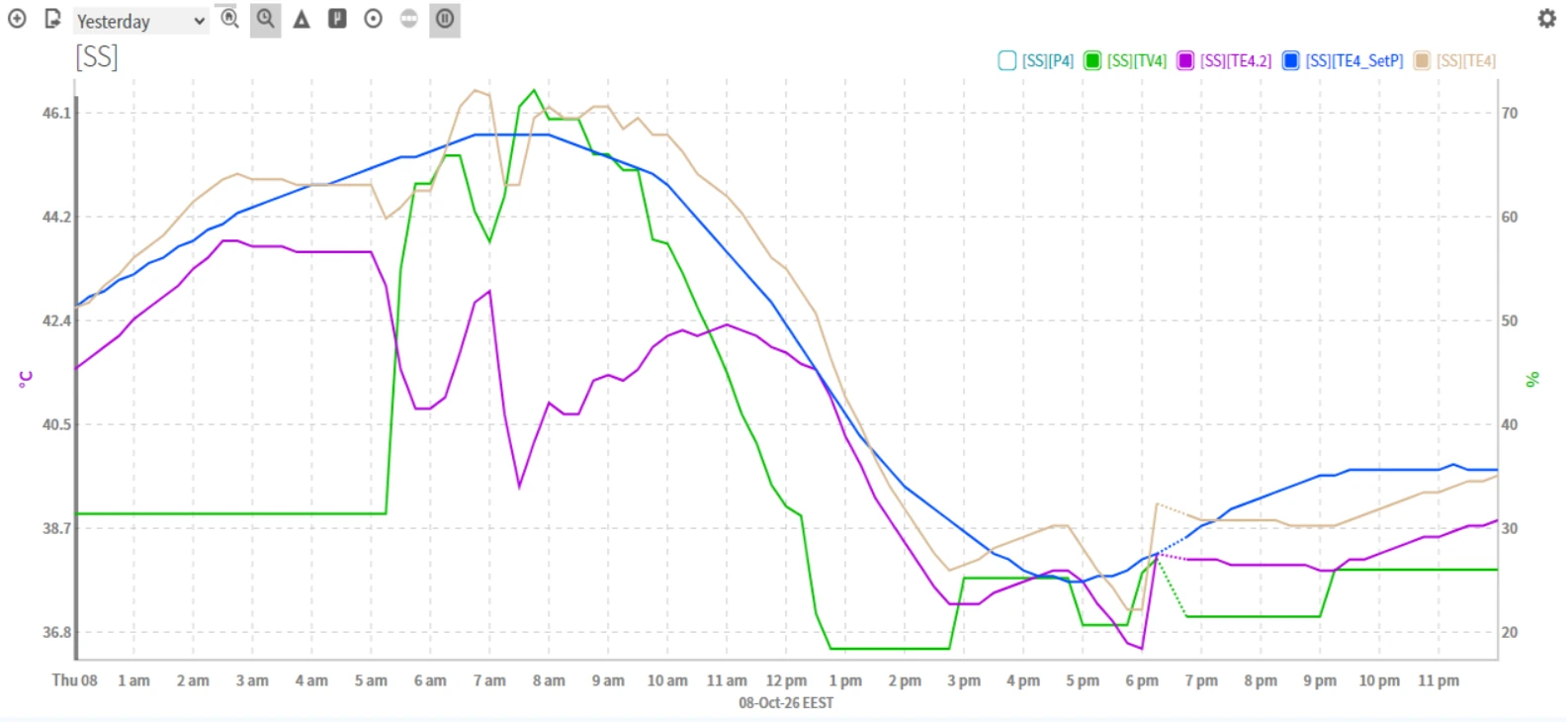
Comparing temperatures, setpoints and control signals helps explain how the system operates.
04 / IN ESTONIA AND WORLDWIDE
According to Tridium, Niagara Framework is used in hundreds of thousands of projects worldwide. This figure covers the Niagara platform as a whole.
Source: Tridium ↗RKAS technical requirements name Niagara NX as one of the central monitoring environments. Its procurement plan also includes Niagara building automation maintenance. Public sources do not give an exact total of Estonian installations.
ReLeTec supports companies on RKAS, city, municipal and private-sector projects that require Niagara N4. We work to the specific procurement and client requirements.
RKAS technical requirements ↗RKAS procurement plan ↗The organisations mentioned illustrate project types and platform use. They do not indicate ReLeTec client references or official partnerships.
05 / STRAIGHTFORWARD COOPERATION
You do not need to know the exact solution before contacting us. We start with your situation and agree the next step. A small, well-defined task is a good place to begin.
We review the project's needs, the existing solution, the issue and your deadline.
Before starting, we agree the scope, schedule and price or billing basis. Additional work is agreed separately.
We program, integrate and test the agreed work. We hand over the information needed to use the system.
YEARS OF INDUSTRY EXPERIENCE
Technical support for automation companies, contractors and facility managers, adding capacity to your team when needed.
LET US START WITH YOUR SITUATION
We also help when a tool is not enough: device integration, network issues, Niagara N4 and building automation. Send a description; we agree the options and scope before starting.
PREPARE A SHORT PROJECT BRIEF
Copy the brief to send it. This page does not transmit or store your information.
Platform information is based on the manufacturer's documentation. The implementation and suitability are determined when assessing your project.
Niagara Framework and JACE are Tridium trademarks. ReLeTec OÜ is an independent service provider. Information reviewed on 8 October 2026.
RELETEC / UPDATES
The application checks for new releases at startup and once a day while it is open. A notice and release notes appear when a newer version is available. Choose when to download and install; automatic checks can be switched off.
Free. No subscription.